What tk999 Notifies You About, and How to Turn It Down
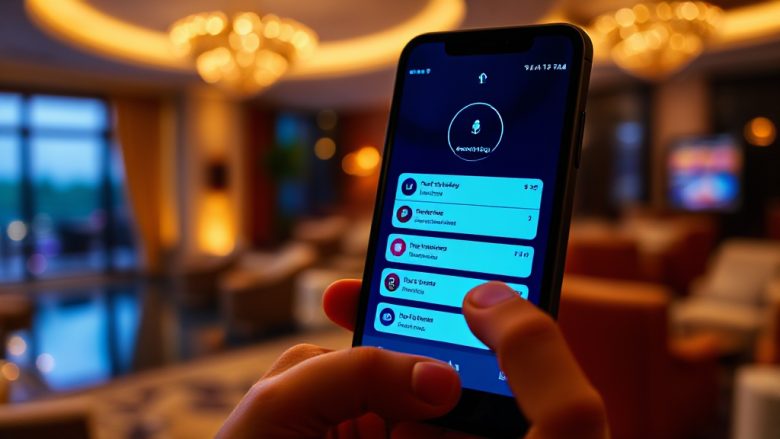
Most of us think of a betting platform as something we open, use, and close. In practice, the relationship continues after the screen goes dark. The platform talks to you between sessions, and most of that conversation happens in notifications. Promotions land while you are at work. Settlement alerts arrive while you are eating dinner. A reminder about an unfinished registration appears at midnight. If you have ever looked at your lock screen and felt like someone else was deciding what deserved your attention, you already understand the problem.
This is a notification audit of wwwtk999, written from the perspective of someone who got tired of the noise. The goal is not to tell you to switch everything off. It is to help you recognize each category of message, decide which ones earn a place on your phone, and mute the rest without losing the alerts that actually matter to you.
Account and Registration Messages
The first group of notifications covers the basics of having an account. These are the messages tied to your identity on the platform: a welcome note after sign-up, a confirmation that your profile details were saved, a prompt if a step in registration was left incomplete, and occasional security notices when a login happens from a new device.
In my experience, this category is the least intrusive and the most worth keeping. A security alert about an unfamiliar login is genuinely useful. A reminder that your registration is half-finished is mildly helpful the first time and mildly irritating the fourth. If you created your account in one sitting and never looked back, you can safely reduce these to the security-related ones and let the rest go quiet. The important distinction is between messages that protect your account and messages that simply confirm you exist.
Transaction and Payment Alerts
Money moves generate their own stream. Deposits, withdrawals, balance changes, and payment confirmations all tend to arrive as separate notifications, sometimes within seconds of each other. During a busy session, this can feel like a receipt printer running in your pocket.
These alerts are worth a closer look before you silence them. A withdrawal confirmation tells you the request actually went through. A deposit receipt is your record if a balance does not update as expected. The problem is volume, not value. If your payment activity is frequent, consider keeping transaction alerts on but turning off the promotional messages that often ride along with them. Many users find that the financial confirmations are the ones they would miss most if they disappeared, precisely because they are the ones they rarely read until something goes wrong.
Promotional and Bonus Notifications
This is where the notification stream gets loud. Bonus offers, limited-time promotions, seasonal campaigns, and reminders that a reward is about to expire all fall into this bucket. They are designed to be timely, which means they arrive when the platform thinks you are most likely to act, not when you are most likely to want them.
Promotional messages are also the most repetitive. The same offer may be announced when it launches, halfway through, and again in the final hours. From the platform’s side, this is standard practice. From your side, it is three interruptions for one piece of information. If you want to keep an eye on offers without the constant pinging, the better approach is to disable push notifications for promotions and check the promotions area inside the app on your own schedule. You keep the information and lose the urgency.
Game, Match, and Event Updates
For anyone who follows sports or specific games, this category can be the most tempting to keep on. Match reminders, event start alerts, result notifications, and updates on a competition you have shown interest in all land here. When they are relevant, they are genuinely convenient. When they are not, they are a steady drip of information about things you did not ask to follow.
The trap is that interest changes faster than settings do. You follow one tournament, and the platform remembers. Weeks later, you are still getting updates about a league you stopped caring about. A useful habit is to review this category every so often and prune it the way you would prune a social media feed. Keep the two or three events you actually track. Let the rest expire quietly. The app will still show everything when you open it, so nothing is truly lost.
If you want to see how these categories are organized in one place, the settings area behind wwwtk999 is where the toggles live, and it is worth a five-minute visit rather than a guess.
Managing the Stream: Settings That Actually Help
Regaining control does not require deleting the app or abandoning the platform. It requires deciding, category by category, what deserves to interrupt you. A practical approach looks like this:
Start with the phone, not the app. Your operating system has its own notification controls. You can allow alerts from the app but silence them during certain hours, or let them appear silently in the notification center without a sound or vibration. This alone removes most of the friction for users who want the information but not the interruption.
Then work inside the platform. Turn off promotional pushes first, since they are the highest volume and lowest urgency. Keep security and transaction alerts on. Review event and match notifications and remove anything you no longer follow. If the app offers a digest or summary option instead of individual alerts, that is usually the best compromise for people who want awareness without a constant stream.
Revisit the settings after a change. If you take a break from betting, or your interests shift, the old settings will keep feeding you the old content. A quick check every few months keeps the stream aligned with what you actually care about now.
The underlying principle is simple: a notification is a request for your attention, and you are allowed to decline. The platform will keep sending what it is configured to send. The configuration is yours to set.
Frequently Asked Questions
Can I turn off promotional notifications but keep payment alerts?
Yes. In most cases the categories are separated, so you can disable bonus and offer messages while leaving transaction and security alerts active. Check both the in-app settings and your phone’s notification controls, since either layer can override the other.
Why do I get several notifications for the same offer?
Promotional campaigns are often sent at launch, mid-campaign, and near expiry to catch users at different times. If the repetition bothers you, turning off promotional pushes is the cleanest fix, and you can still view current offers inside the app whenever you choose.
Will disabling notifications affect my account or withdrawals?
No. Notification settings control messages, not account functions. You can still log in, deposit, withdraw, and use the platform normally. The only difference is that you will need to check the app for updates instead of receiving them automatically.
How often should I review my notification settings?
A quick review every few months, or whenever your interests change, is enough. The goal is to keep the alerts you receive matched to what you currently care about rather than what you cared about last season.